Show List
Spring Boot
Spring Boot is a framework for building production-ready, stand-alone, and easy-to-deploy Spring applications. It provides a set of pre-configured, production-ready components and a large number of additional plugins to take care of common application tasks. The primary goal of Spring Boot is to simplify the process of developing and deploying Spring applications by providing a set of sensible defaults and tools for quickly creating and running applications.
Spring Boot 1.0 was released in April 2014.
Features of Spring Boot
Here are some features of Spring Boot
- Autoconfiguration: It detects the classes in the class path and automatically configures them. If required, additional configuration can be provided in the Application.properties file.
- Starter Dependencies/POMs: Spring Boot provides starter POMs for several common type of applications. This helps avoid the need to add the dependencies manually.
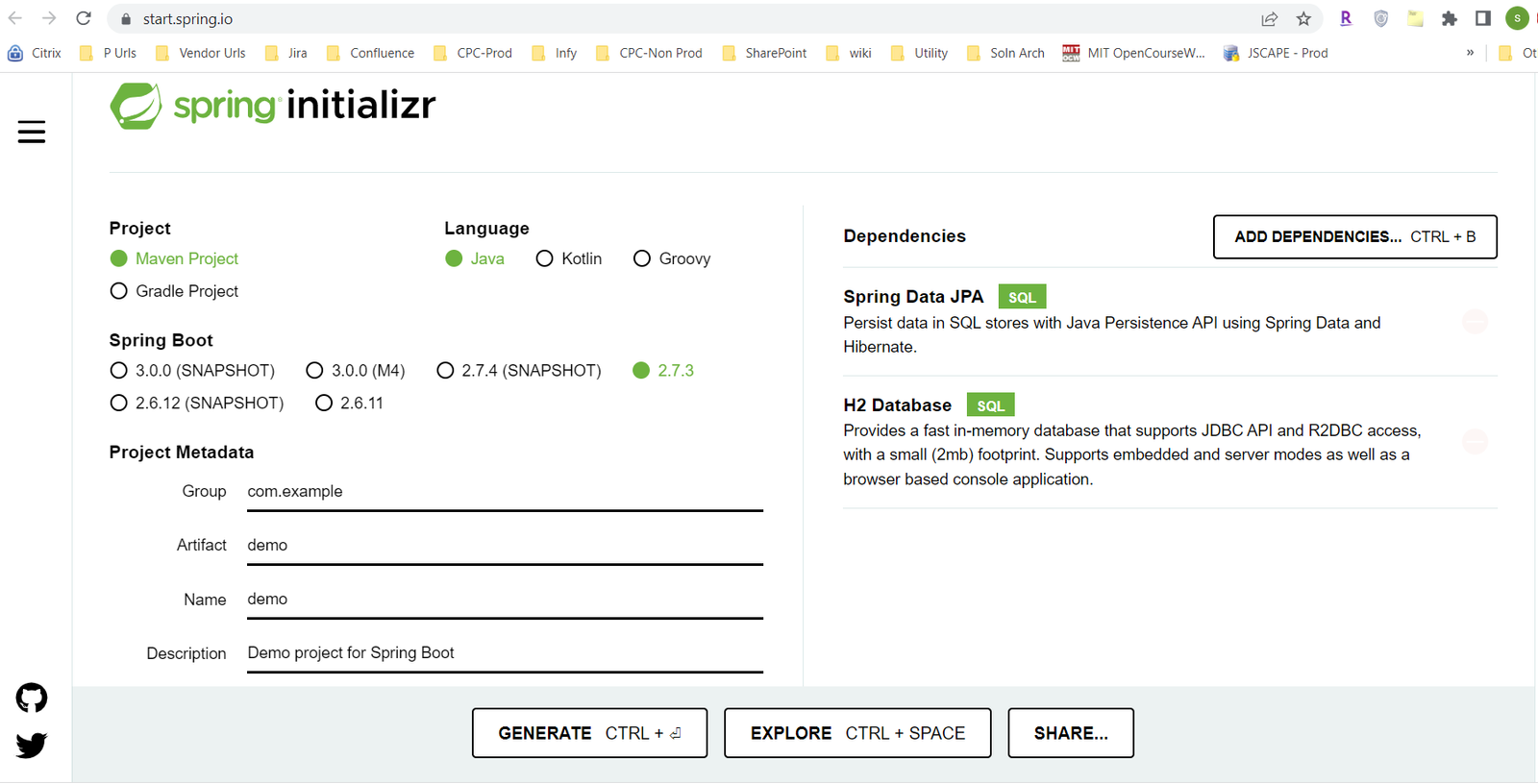
- Spring Boot Initializer: The Spring Initializer (https://start.spring.io/) can generate a Spring Boot project for many kind of applications. You can then edit the project to use with your code.
- Helps easily develop stand alone applications/ microservices.
- Provides embedded server: Spring Boot includes an embedded Tomcat server, allowing you to run your application without the need for a separate application server
- Actuator: Spring Boot includes an Actuator module, which provides production-ready features such as monitoring and management of your application.
- Supports in memory database (e.g. H2)
- Application can be developed with much less code.
- Avoids complex XML configuration in Spring
Spring Boot Annotations
Class with @SpringBootApplication annotation acts as entry point for the application. This annotation includes the feature of below two annotations as well:
- @Configuration: Means that the class can be used by the Spring container as a source of bean definitions.
- @ComponentScan: Scans all package to identify the beans to be created.
- @EnableAutoConfiguration: Enables to autoconfigure the application context so the beans are created and registered.
Spring Boot Usages
- For creating web application
- Creating back end for mobile applications
- Creating Rest Web Services
- Creating stand alone applications/ microservices
Creating Spring Boot Application
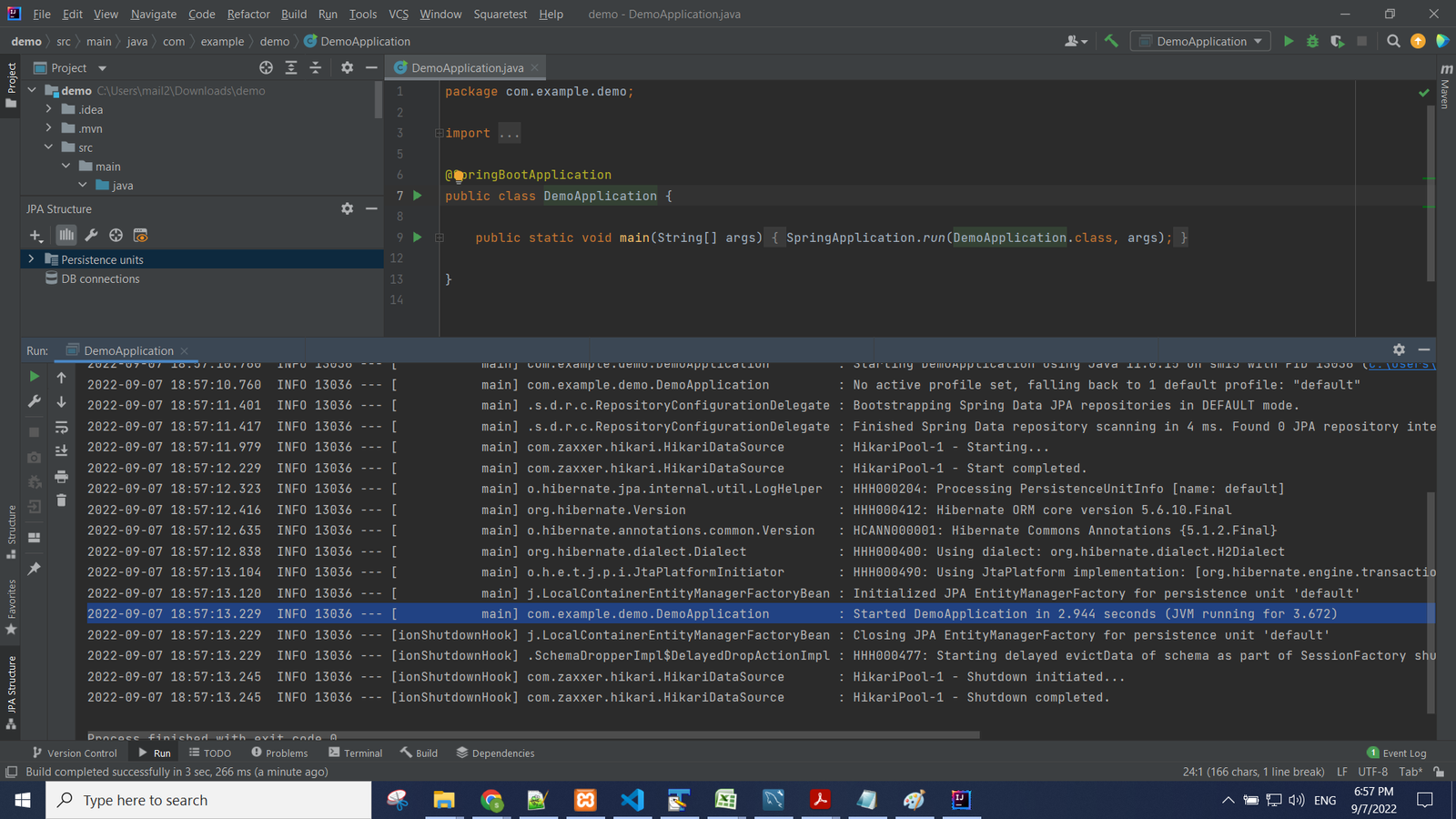
To create an Spring Boot application, go to Spring initializr website and create a Java Maven Project with required dependencies. In the example below, JPA and H2 have been selected the dependencies. Click on generate button to download the source code zip. Extract the code and import into your IDE (e.g. IntelliJ Idea) as maven project.
Running the application:
Leave a Comment